
Help center › Customers, accounts and loyalty
Customers, accounts and loyalty
Customer cards, sales on account and collecting payments, stamp cards and points.
Dashboard → Customers → Customers & accounts manages customer cards, account balances and the loyalty program. These features are on the Pro plan (all features are unlocked during the trial).
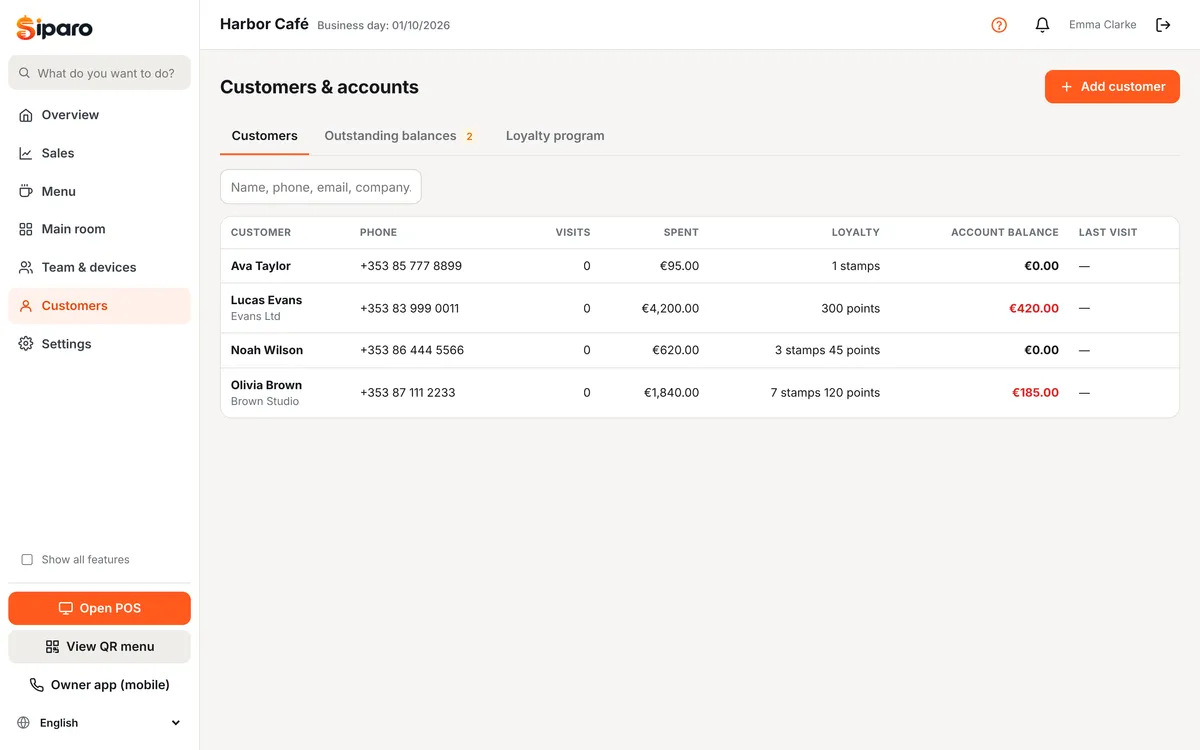
Adding a customer
Use Add customer to enter name, phone, email, company and tax number. For delivery you can add several addresses (Home, Work…). At the POS, Actions → Assign customer finds a customer by name or phone and assigns them to the check; if not found, you can create a new customer there.
Sales on account
- Assign a customer to the check.
- On the payment screen choose On account. The amount is added to the customer's balance.
- If you set a credit limit, sales are blocked once it's exceeded (0 = no limit).
Receiving payment: on the customer card, Receive payment → amount and method (cash, card, bank transfer). Cash payments are recorded as cash in at the till. Statement (CSV) downloads the account activity.
Loyalty program
On the Customers page, the Loyalty tab:
- Stamp card (buy X, get 1 free): 1 stamp per eligible item. When the required number is reached, one item is free. You can choose which categories earn stamps.
- Points (% of spend): points earned per 100 spent and the value of 1 point.
Stamps/points are earned automatically when a customer is assigned to the check. To redeem at the POS: Actions → Use loyalty reward.