
Help center › QR menu
QR menu
General and table QR menus, appearance, languages, ordering from the table, calling a waiter and reservations.
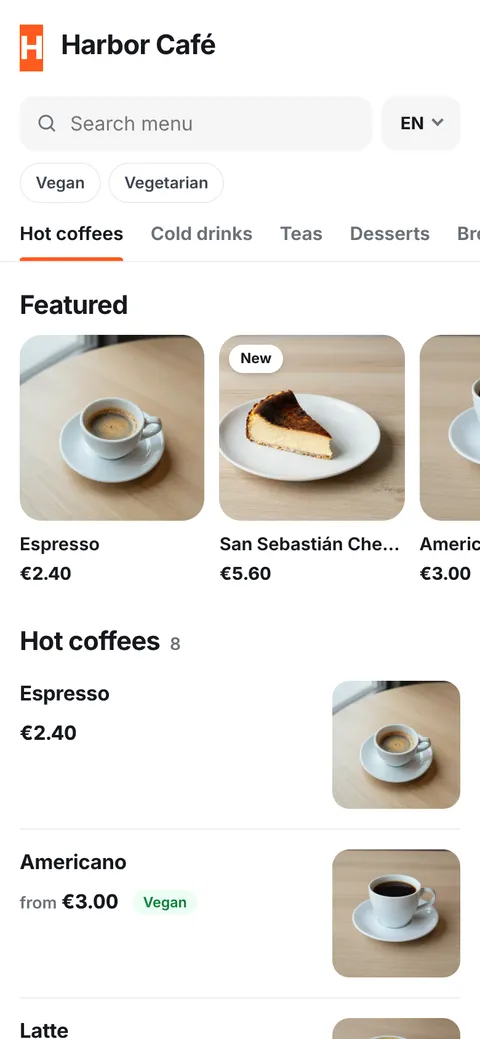
Guests scan the QR code with their phone camera and see your multilingual menu with photos — no app download. When a price changes at the POS, the menu updates immediately.
Two kinds of links
- General menu link (
siparo.net/m/your-business): put it on your Instagram profile, Google Business page or the door. It shows the menu only. - Table QR codes: printed from Floor & tables. Guests at the table can also call a waiter, ask for the bill, (if enabled) order and see their own bill.
Appearance
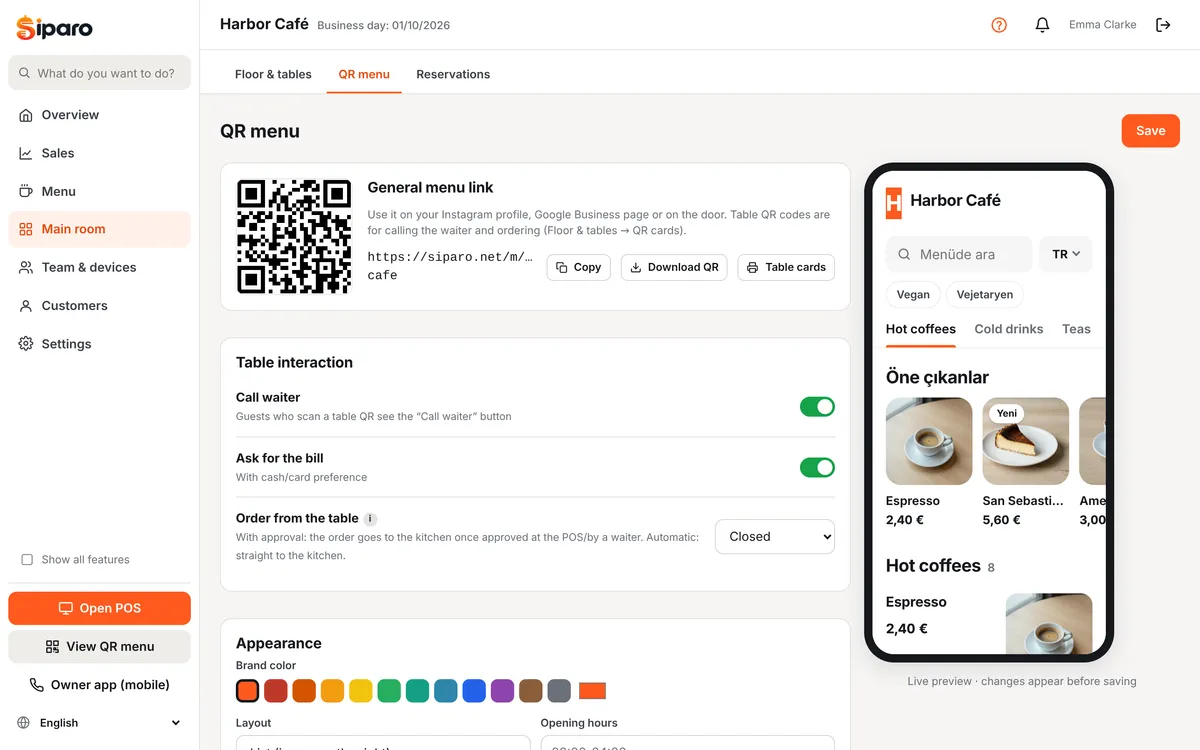
Dashboard → Main room → QR menu: brand color, cover image, layout (list, grid with large images, simple), dark theme, show/hide prices, hide sold-out items, opening hours, announcement banner ("Live music tonight!"), Wi-Fi and social links. The live preview on the right shows changes before you save.
Languages
Choose the languages to offer under Menu languages. Guests switch with the language button at the top right; on first visit their phone's language is selected. Product translations are entered in the product editor (Menu → Translations); products without a translation are shown in the main language.
Ordering from the table
Order from the table has three options:
| Option | What happens |
|---|---|
| Off | Guests only see the menu. |
| With approval | The order appears as "Awaiting approval" at the POS and on waiter phones and goes to the kitchen once approved. Recommended. |
| Automatic | The order goes straight to the kitchen. |
QR orders awaiting approval appear at the POS under 🔔 Calls and above the check; Approve or Reject. You can also ask guests for their cash/card preference.
Calling a waiter and asking for the bill
Guests who scan a table QR see Call waiter and Ask for bill buttons. The call shows at the POS and on waiter phones with a sound. Tables asking for the bill are highlighted at the POS.
Reservations
On the Pro plan, the general QR menu page has a Book a table button. Requests arrive under Dashboard → Main room → Reservations as "Awaiting confirmation"; confirm them and assign a table. You can also add phone reservations there.
Views
The QR menu page shows the number of views over the last 14 days.