
Help center › Settings
Settings
Business details, language and currency, POS behavior, receipts, payment methods, notifications and API.
Dashboard → Settings → Business settings.
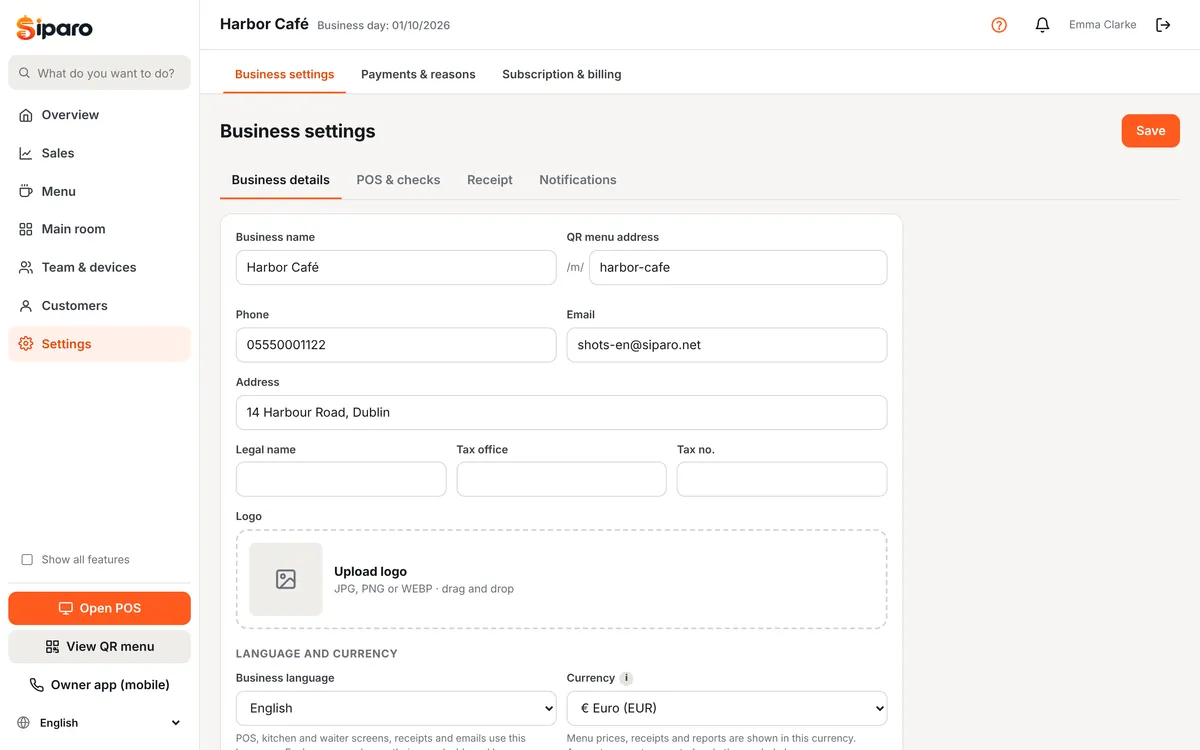
Business details
Name, phone, address, legal name, tax details and logo. QR menu address sets the siparo.net/m/... part; if you change it, old QR cards stop working.
Language and currency
- Business language: the POS, kitchen and waiter screens, receipts and emails use this language (Türkçe, English, Deutsch). Each user can change their own dashboard language with the language picker in the left menu; the POS login screen also has a language picker.
- Currency: ₺, €, $, £ or CHF. Amounts are not converted; only the symbol and number format change.
POS and checks
- POS start screen: Tables or Quick sale.
- Ask for number of guests when opening a table (needed for cover charges).
- Close check when fully paid, Print receipt after payment (always / ask / never).
- Print kitchen tickets, Send to kitchen automatically when leaving the table.
- Service charge (%), Cover charge (per guest), Default VAT rate.
- Auto-lock (minutes), Long-open table warning, Product images at the POS, Sound effects.
- Quick item notes: notes added with one tap at the POS (Rare, No ice…).
- Reason required for voids / discounts.
Receipts
Receipt header (address, phone, Instagram…) and footer. Siparo receipts are informational; the fiscal receipt is issued by your fiscal cash register where legally required.
Payment methods and reasons
Dashboard → Settings → Payments & reasons: add, reorder or disable the methods shown at the POS (Cash, Credit Card, meal vouchers, Bank transfer, On account…). The Cash type calculates change and counts toward the till; the On account type charges the customer's account; methods marked Open drawer open the cash drawer. The same page manages the reason lists for voids, comps, discounts and check cancellations.
Notifications
With Email notifications on, you get the end-of-day summary and alerts based on the discount alert threshold (%), void alert threshold (amount), till differences and low stock. All notifications also appear under 🔔 in the dashboard.
API and webhooks
On the Pro plan, Dashboard → Settings → API & webhooks (visible when "Show all features" is ticked): create an API key for your accounting software or online shop (the key is shown only once). Webhooks send events such as order closed or payment received to your URL as signed JSON; failed deliveries are retried 5 times. Amounts are in minor units (1.00 = 100).