
Help center › Subscription and billing
Subscription and billing
Plans, payment, promo codes, changing plans, cancelling and invoices.
Dashboard → Settings → Subscription & billing.
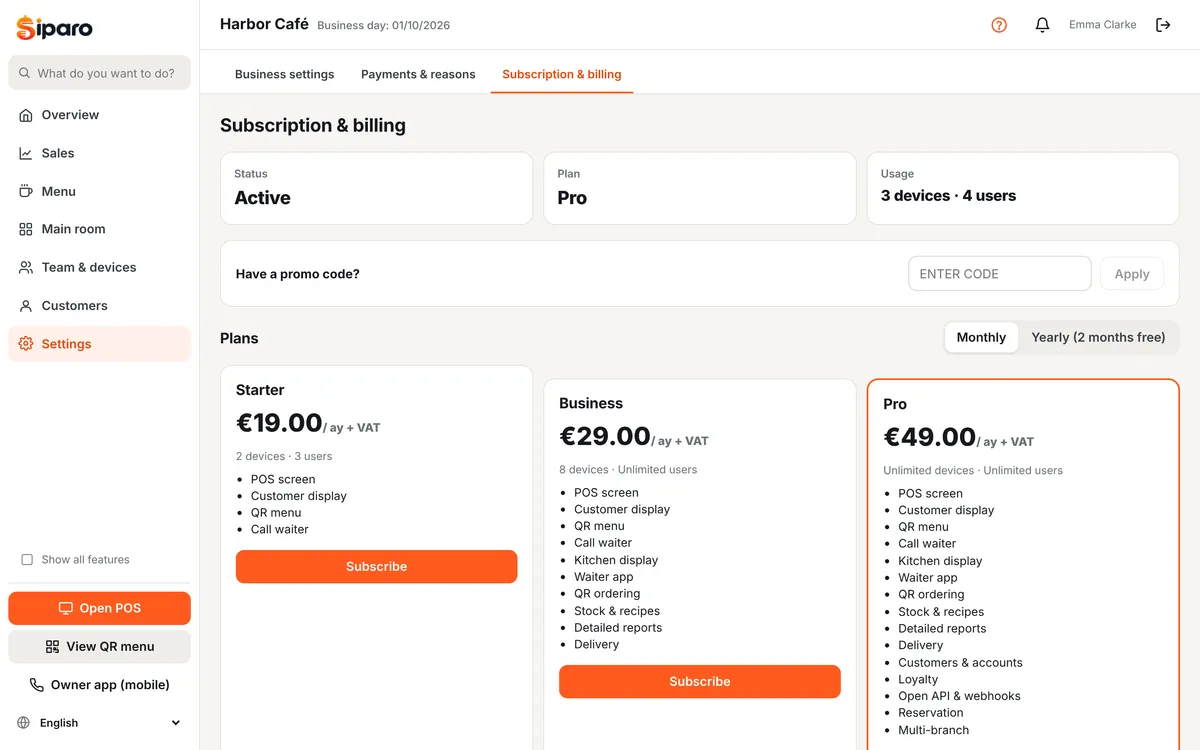
Plans
| Plan | For |
|---|---|
| Starter | Single-till cafés and kiosks (2 devices, 3 users) |
| Business | Kitchen display, waiter app, delivery, stock and detailed reports |
| Pro | Everything: customers & accounts, loyalty, reservations, API |
The customer display and QR menu are included in every plan. Paying yearly gives you 2 months free. The first 14 days are a trial with all features unlocked.
Subscribing
- Choose the period (monthly/yearly) at the top, then click Subscribe under a plan.
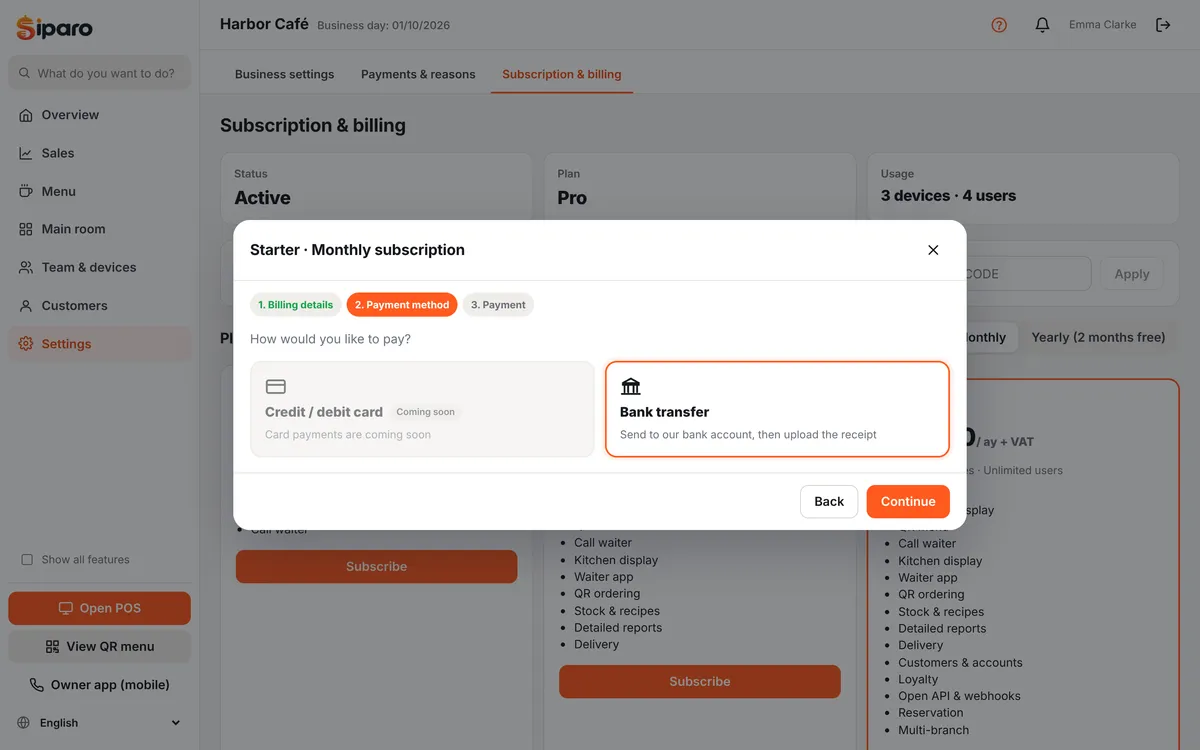
- Fill in your billing details (businesses in Turkey need a national ID or tax number), then Continue.
- Choose a payment method:
- Bank transfer: the screen shows the bank, recipient, IBAN, the amount including VAT and your personal reference code (starting with SP). Enter this code as the transfer reference. Then upload the receipt (PDF, JPG or PNG) and click I have paid. Your subscription is activated once the receipt is checked and you are notified by email, usually within the same business day.
- Credit / debit card: when available, you enter your card details in the iyzico payment form. Card details are stored by iyzico, not by Siparo.
- Card subscriptions renew automatically at the end of each period. Bank transfer subscriptions do not renew automatically: use Extend before the period ends to send a new payment notice. Invoices are listed on this page.
Businesses outside Turkey subscribe with euro (€) prices.
Promo codes
Type the code in Have a promo code? and press Apply. Trial codes extend your trial immediately; discount codes are applied at checkout and are valid for every period of the subscription.
Changing plan and cancelling
- Changing plan: for card subscriptions it takes effect immediately and iyzico calculates the difference. For bank transfer subscriptions, use Switch to this plan under the new plan to send a payment notice for it.
- Cancel subscription: you keep using Siparo until the end of the period; there are no partial refunds. Your data is kept for 90 days; if you subscribe again within that time, you continue where you left off.
Important: If a payment fails, a warning appears in the dashboard. The POS keeps selling, but dashboard features are restricted. If you pay by bank transfer, send a new payment notice with Extend; if you pay by card, update your card details.
Was this page helpful?
Thanks, your feedback has been saved.