
From order to closing time, your restaurant in one system.
Siparo brings POS, customer display, QR menu, kitchen display and reports together in one subscription. It runs in the browser on your existing computer, and sales continue even if the internet goes down.
No credit card required · No setup fee · No commitment

- POS
- Customer display
- QR menu
- Kitchen display
- Waiter app
- Dashboard
Screens designed for every role
Cashier, customer, waiter and kitchen each see the same order the way they need it. A change on one screen appears on the others within seconds.
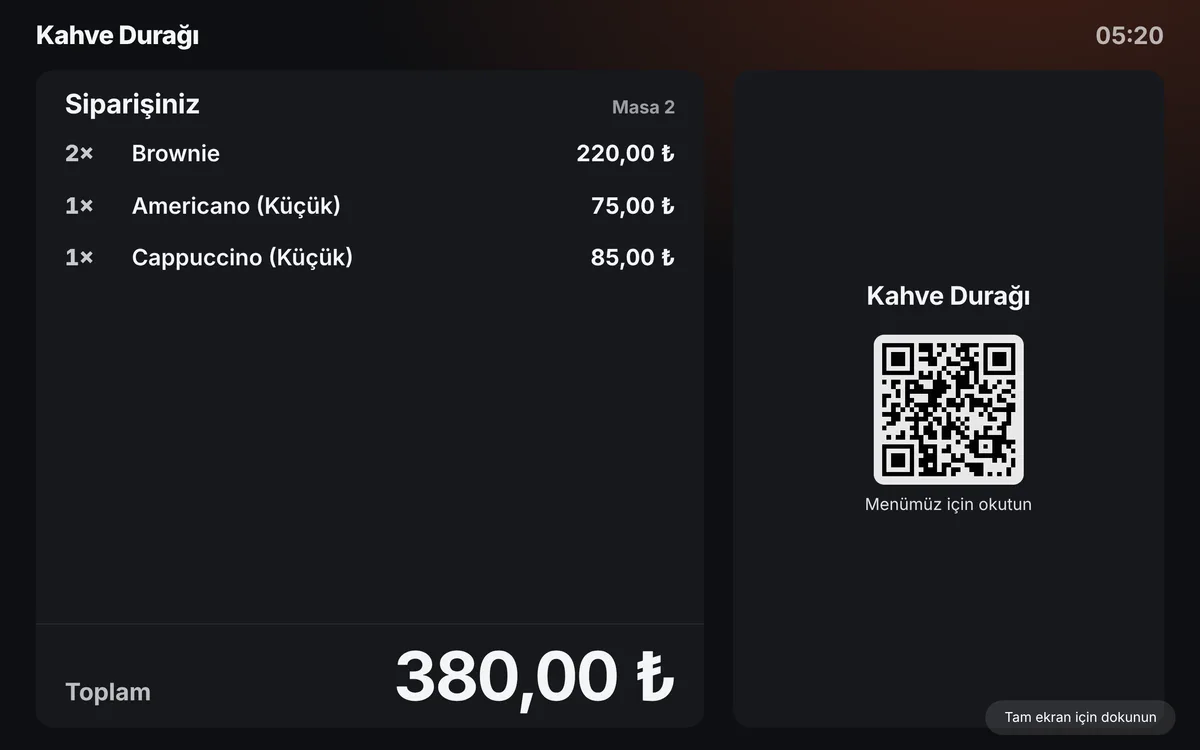
The screen your cashier looks at all day
Categories on the left, products in the middle, the check on the right. Just as fast by finger on a touchscreen as with keyboard and mouse on a regular monitor.
- F1–F11 shortcuts, barcode scanner and instant product search
- Split the bill by item, person or amount; split payments
- Move and merge tables, parked sales
- Checks and kitchen tickets from a thermal printer
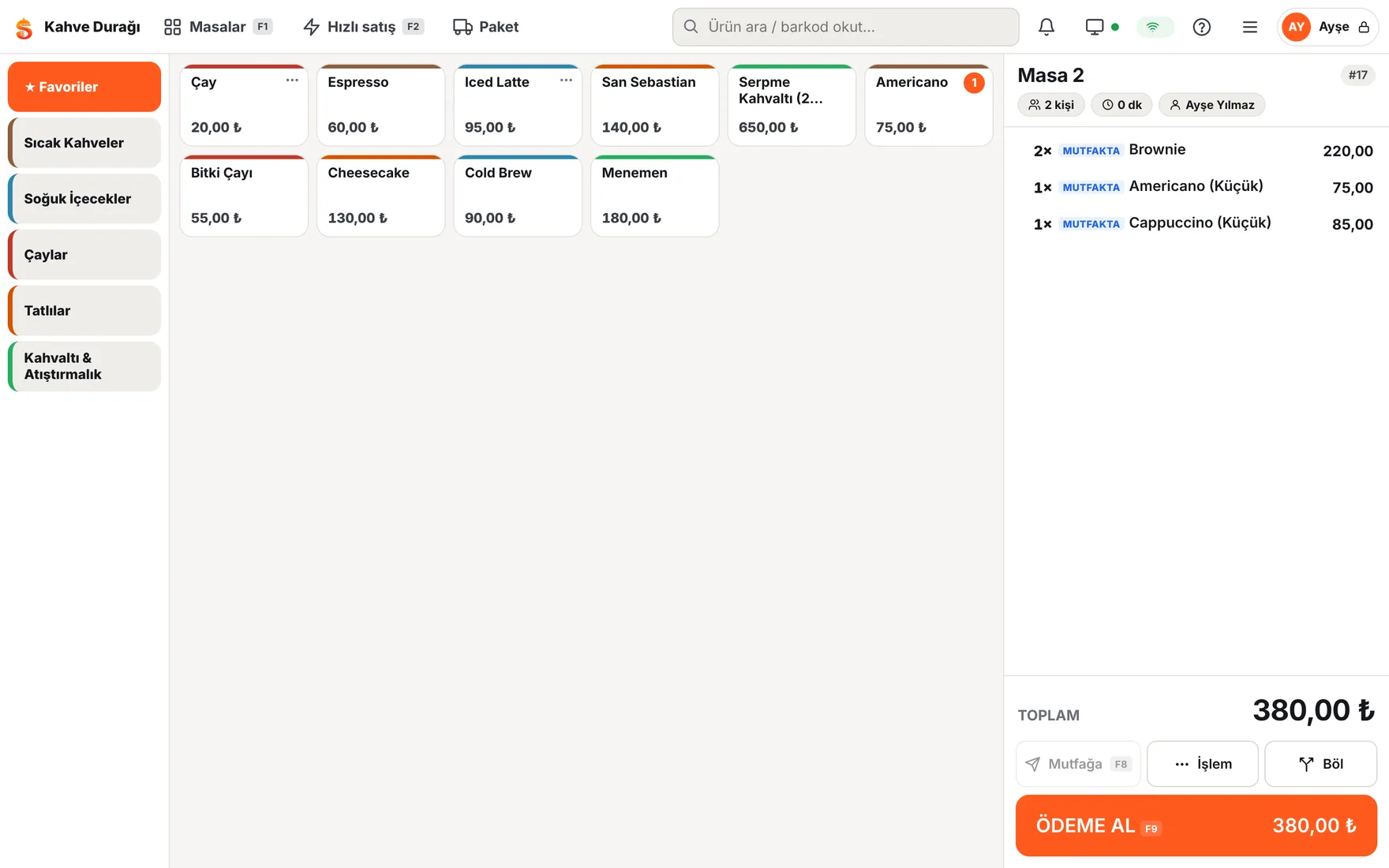
A second monitor faces the customer
A second monitor connected to the POS shows every item and the total to the customer live. At payment it shows the amount tendered and change in large type.
- No extra fee or hardware; any monitor will do
- Works offline on the same computer; or use a separate tablet
- Promo slides and the QR menu code when idle
- Google review link after payment
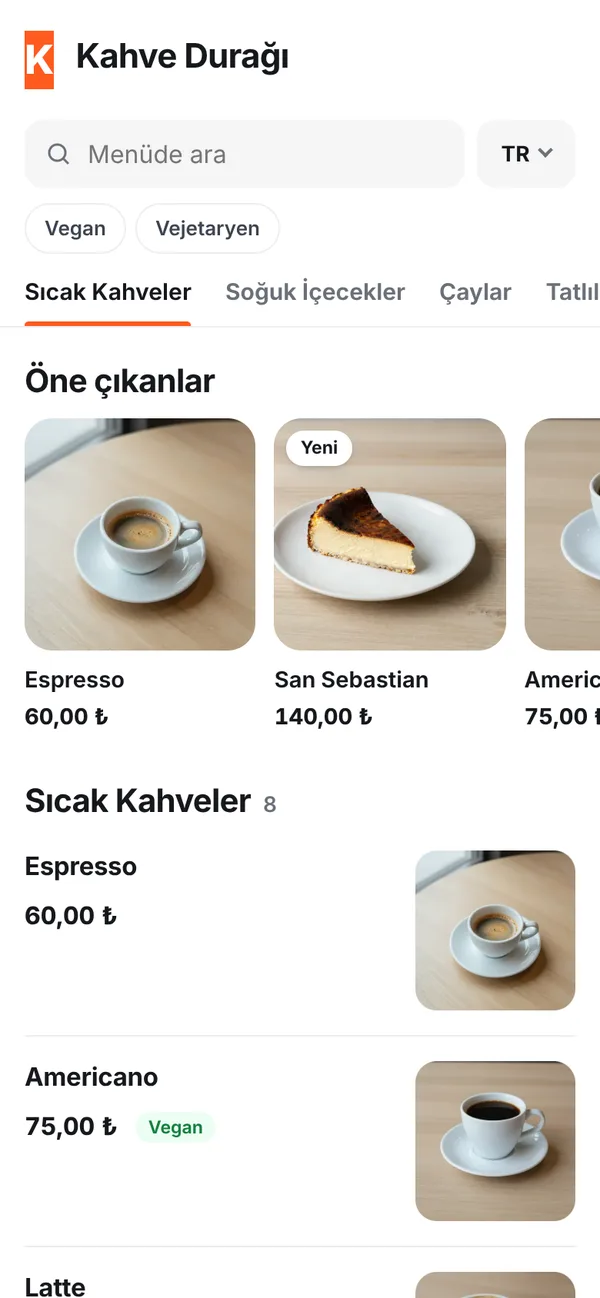
The QR code on the table is your up-to-date menu
Guests scan with their camera and see a multilingual menu with photos — no app download. Change a price at the POS and the menu updates instantly.
- Allergen info, vegan and gluten-free filters
- Call a waiter and ask for the bill from the table
- Optional ordering from the table: arrives at the POS for approval
- Print table cards from the dashboard in one click
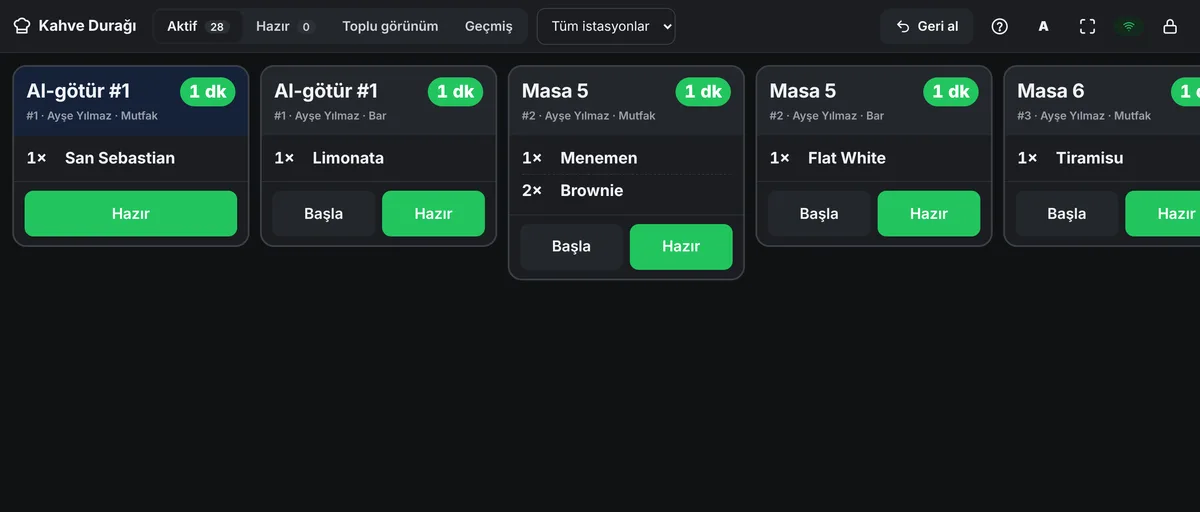
Orders go to the right station
Coffees go to the bar, dishes to the kitchen. Waiting times are shown on screen; tapping “Ready” notifies the waiter's phone.
- Separate stations for kitchen and bar
- Timers, with a color alert for late orders
- Voided items are flagged to the kitchen
- Thermal kitchen tickets if there's no screen
The back office runs smoothly too
Siparo doesn't just take orders; it prevents leakage, tracks stock and closes the day correctly.
Create a free account- Sales don't stop when the internet goes down
- POS and waiter devices take orders and payments even without a connection. When it's back, everything is synced to the server in order and exactly once.
- Voids, comps and discounts are logged
- Every action is stored with its reason, time and the person who did it. Staff without sufficient permission need a manager's PIN on screen.
- End of day and Z report
- Breakdown by cash, card and account; cash count and difference. Hourly traffic, product and staff reports — also on your phone.
- Stock and recipes
- Every sale deducts the recipe's ingredients from stock. Items below their minimum level trigger an alert in the dashboard.
- Customers, accounts and loyalty
- Credit accounts, payments received and points earned on a single customer card. Find regulars at the POS by phone number.
- Delivery, caller ID, couriers
- When the phone rings, the customer card and recent orders open at the POS. Couriers can be assigned automatically and their location is shown live on a map. Reservations appear on the floor plan.
- Owner app
- Even when you are away, today's revenue, open tables, voids and the till status are in your pocket. No app to install: open siparo.net/patron.
- Branches, expenses and profit
- All branches in one account; menu managed centrally, prices per branch. Enter rent, wages and purchases and see your profit in the income statement.
Sign up today, be ready for dinner service
No technical knowledge or technician visit needed.
Create your account
Sign up with your business name and email. All features are unlocked for 14 days.
Load your menu
Start from a template or import your Excel file; enter your number of tables.
Turn your computer into a POS
Pair the POS computer with one click, give staff their PINs and start selling.
What you need: a Windows computer with Chrome or Edge. Optional: a second monitor (customer display), an 80 mm thermal printer, a cash drawer, a barcode scanner, phones for waiters.
One price, no hidden modules
Customer display and QR menu are included in every plan. Try all features free for 14 days.
Starter
For single-till cafés and kiosks
€19 / month + VAT
Billed monthly
Try free for 14 days2 devices · 3 users
- POS screen
- Customer display
- QR menu
- Call waiter
- Kitchen display (not included)
- Waiter app (not included)
- QR ordering (not included)
- Stock & recipes (not included)
- Detailed reports (not included)
- Delivery (not included)
- Customers & accounts (not included)
- Loyalty (not included)
- Open API & webhooks (not included)
- Reservation (not included)
- Multi-branch (not included)
Business Recommended
For kitchens with a display, waiters and delivery
€29 / month + VAT
Billed monthly
Try free for 14 days8 devices · Unlimited users
- POS screen
- Customer display
- QR menu
- Call waiter
- Kitchen display
- Waiter app
- QR ordering
- Stock & recipes
- Detailed reports
- Delivery
- Customers & accounts (not included)
- Loyalty (not included)
- Open API & webhooks (not included)
- Reservation (not included)
- Multi-branch (not included)
Pro
Everything, including loyalty, reservations and API
€49 / month + VAT
Billed monthly
Try free for 14 daysUnlimited devices · Unlimited users
- POS screen
- Customer display
- QR menu
- Call waiter
- Kitchen display
- Waiter app
- QR ordering
- Stock & recipes
- Detailed reports
- Delivery
- Customers & accounts
- Loyalty
- Open API & webhooks
- Reservation
- Multi-branch

Prices are in euros (€). For businesses in Türkiye, see TRY prices.
Every plan includes: customer display, QR menu, offline mode, thermal receipt printing, unlimited products and tables, free updates. No commitment; cancel anytime.
Frequently asked questions
Can't find what you're looking for? Write to destek@siparo.net.
What hardware do I need?
A Windows computer with an up-to-date Chrome or Edge is enough. We recommend a second monitor for the customer display and an 80 mm thermal printer for receipts. You can start with your existing computer.
What happens if the internet goes down?
The POS keeps selling. Orders wait safely on the device and are sent automatically when the connection returns; nothing is recorded twice.
Does Siparo integrate with fiscal cash registers?
Siparo receipts are informational. The fiscal register connection (Siparo Bridge) is ready; we will set it up together for your Beko, Pavo or Ingenico device. Until it is connected, keep issuing fiscal receipts from your register.
How do I import my menu?
Start from a ready-made café, restaurant, burger or bar template and edit it, or upload your Excel/CSV file. Our team can also import it for you.
How do I pay?
Before your trial ends, choose a plan in the dashboard and pay by bank transfer; just upload the receipt and your subscription is activated within the same business day. Card payment is coming soon.
Is there a contract or commitment?
No. You can cancel anytime and keep using Siparo until the end of the period you've paid for.
Is my data safe?
Each business's data is kept separate, connections are encrypted and critical actions are logged. Card details are stored by the payment provider, not by Siparo.
We'll help you get set up
Leave your number and we'll help you import your menu and choose hardware for free.